
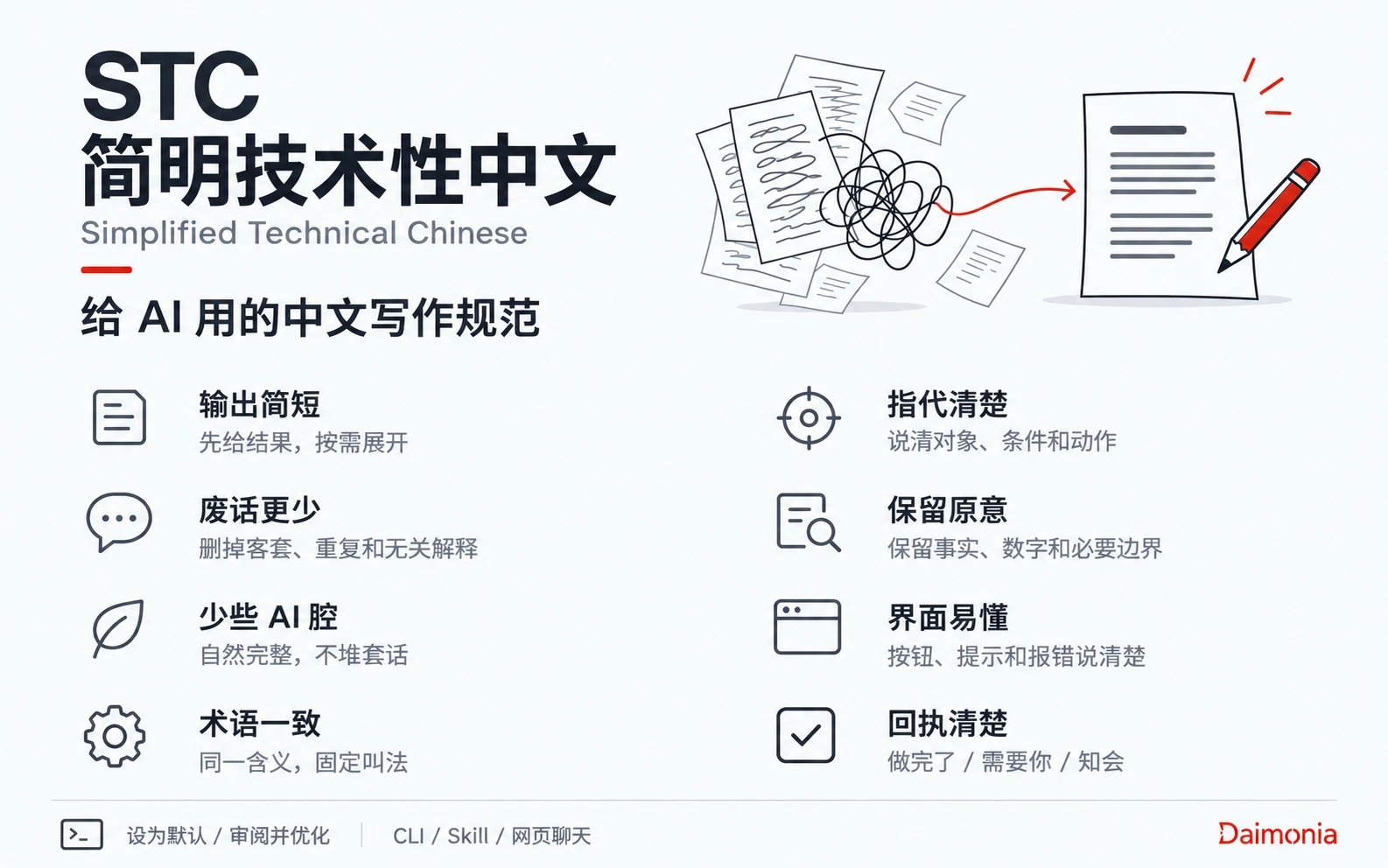
Main benefits
| Benefit | What the rules require |
|---|---|
| Shorter output | Give the answer or result first. Expand as the task requires. |
| Less filler | Remove pleasantries, repeated conclusions, and explanations the reader does not need. |
| More natural phrasing | Use complete sentences. Remove stock phrases, slogans, and empty modifiers. |
| Consistent terms | Use one term for each meaning. Follow the project term list for product and feature names. |
| Clear references | Name the subject, condition, and action so readers know who does what. |
| Preserved meaning | Keep facts, numbers, negation, permissions, and real uncertainty. |
| Clearer interface copy | Name the action on buttons. Explain what happened and what to do next in prompts and errors. |
| Clearer task receipts | Separate results, user actions, and necessary information into “做完了 / 需要你 / 知会”. |
Introduction videos
Quick start
Use with an agent
In Claude Code, Codex, Hermes, or another agent that can install tools, send:
Install STC in this project:
https://github.com/daimonia-ai/STC-Simplified-Technical-Chinese
Run npm install -g @daimonia/stc@latest, then run stc init.
Read ONBOARDING.md in the installed skill directory.
Ask me before enabling default rules.
Review only material I select or authorize you to choose.
The CLI installation includes the skill.
Use in web chat
In ChatGPT, Claude, or another chat AI that can read web links, send:
Read and use STC:
https://raw.githubusercontent.com/daimonia-ai/STC-Simplified-Technical-Chinese/main/WEB.md
Follow the Onboarding for Agents section to help me choose default use or a review.
If the AI cannot read the raw-text link, use the GitHub web entry, or paste or upload its contents.
Two ways to use STC
Enable default output rules
Agent in a project:
Set STC as the default rules for Chinese output in this project.
Preserve other project settings and tell me where the rules apply.
Web chat:
Use STC as the default rules for Chinese output in this conversation.
Select the profile for each task and tell me where the rules apply.
Review and improve existing content
Use the same prompt with an agent or in web chat:
Review and improve this Chinese text with STC.
Preserve the facts, numbers, names, and meaning.
Return a revised version and briefly explain the main changes:
[paste text]
Manual installation and file checks
Install the CLI, then initialize it from the project root:
npm install -g @daimonia/stc@latest
stc init
Install the skill on its own:
npx skills add daimonia-ai/STC-Simplified-Technical-Chinese --skill stcCheck a file:
stc check document.md --profile for-document --anti-echoThe CLI and file checks require Node.js 18+. The npx skills installer requires Node.js 22.20+. The check lists problems, specific suggestions, and rule IDs. An agent or a person reviews meaning in context.
Profiles and dictionary
STC selects rules by reader and purpose across four profiles:
- Chat replies: answer directly. Separate completed work, user actions, and necessary information in task receipts.
- Documents: make subjects, facts, and steps explicit.
- Product interfaces: name functions consistently and explain actions and results.
- Agent instructions: specify requirements, conditions, and scope.
The dictionary includes recommended words, wording to avoid, and a project term-list template. Teams can add product names, feature names, and business terms.
References and contributions
STC follows the rules-and-dictionary structure of ASD-STE100. Its expression rules draw on the concise approach of Caveman Lite and Daimonia’s humanize practice.
The rules and dictionary use CC BY 4.0. Code uses the MIT license. Contributions of dictionary entries, rules, and usage feedback are welcome. For a writing issue, include the original text, its context, and a suggested change.